
Ir para conteúdo principal

Integrações

Syncgrip

Gerencie públicos do Mailchimp no Airtable com sincronização bidirecional em tempo real. Sem necessidade de código. Configure em minutos.

Custo
Pago
Desenvolvedor
Syncgrip

Mantenha os públicos do Mailchimp sincronizados com o Airtable e o Asana. Bidirecional, em tempo real, sem necessidade de código. Teste gratuito por 14 dias.

O Syncgrip foi criado para sincronização bidirecional profunda, sendo mais simples e econômico do que ferramentas de automação como Zapier para manter dados sincronizados.
Suporte

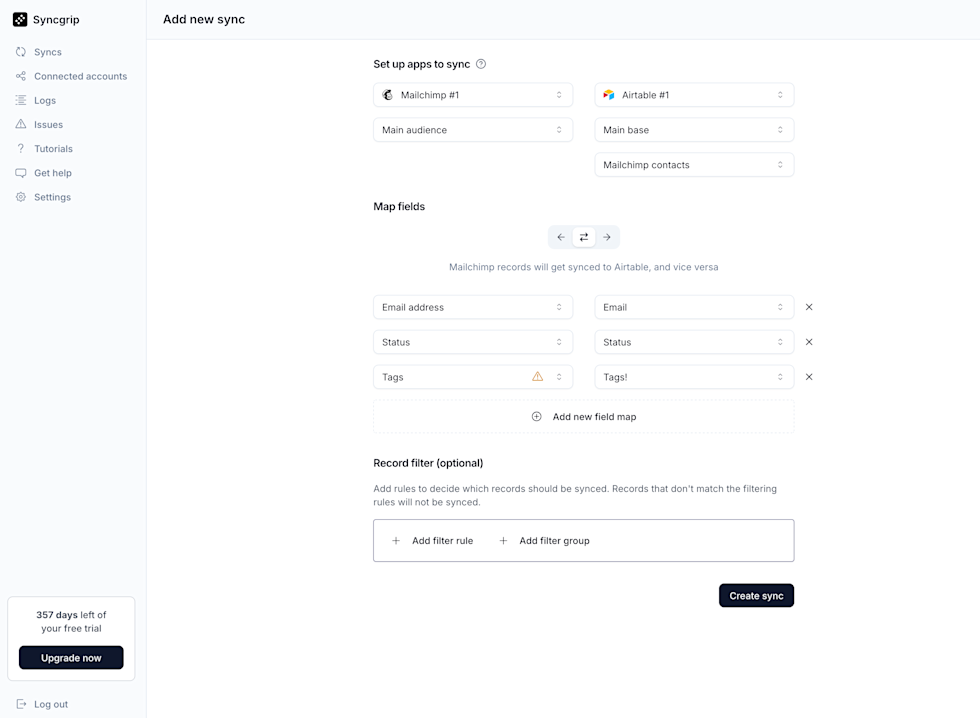
Screenshot of the Syncgrip “Add new sync” page showing a setup to sync Mailchimp #1 (Main audience) with Airtable #1 (Main base, “Mailchimp contacts” table). The screen displays field mappings for Email address → Email, Status → Status, and Tags → Tags (with a warning icon on Tags), plus an option to add a new field map. Below is a Record filter section with buttons to add filter rules or groups. A “Create sync” button appears at the bottom right. The left sidebar includes navigation items such as Syncs, Connected accounts, Logs, Issues, Tutorials, Get help, and Settings, along with a notice showing 357 days left of a free trial and an Upgrade button.

Conecte Airtable, Asana e Mailchimp em minutos. Nenhum código necessário.

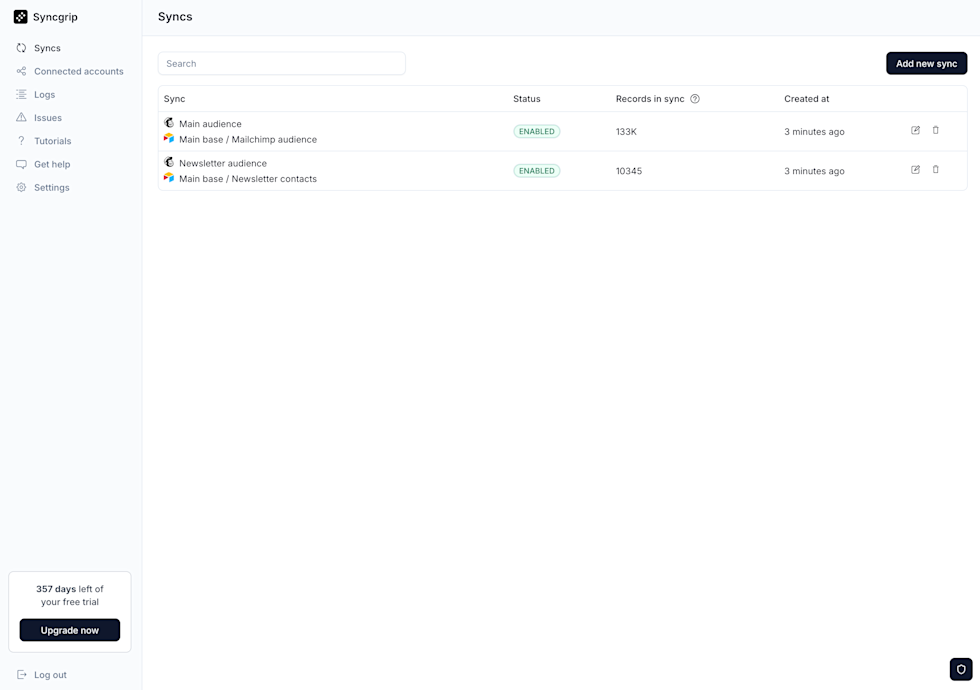
Screenshot of the Syncgrip “Syncs” dashboard displaying a list of active syncs. Two syncs are shown: “Main audience” (Main base / Mailchimp audience) with status ENABLED, 133K records in sync, created 3 minutes ago; and “Newsletter audience” (Main base / Newsletter contacts) with status ENABLED, 10,345 records in sync, created 3 minutes ago. Each row includes edit and delete icons. A search bar appears at the top, with an “Add new sync” button on the right. The left sidebar shows navigation items (Syncs, Connected accounts, Logs, Issues, Tutorials, Get help, Settings), a notice of 357 days left of the free trial with an Upgrade button, and a Log out option.

Monitore suas sincronizações em tempo real