
Passer au contenu principal

Intégrations

Syncgrip

Gérez vos audiences Mailchimp en quelques minutes depuis Airtable grâce à une synchronisation bidirectionnelle en temps réel. Aucun code nécessaire.

Coût`
Payant
Développeur
Syncgrip

Synchronisez vos audiences Mailchimp avec Airtable et Asana. Bidirectionnel, en temps réel, sans code. Essai gratuit de 14 jours.

Syncgrip est spécialement conçu pour une synchronisation bidirectionnelle approfondie. Il est plus simple et plus économique que les outils d’automatisation tels que Zapier pour synchroniser les données.
Assistance

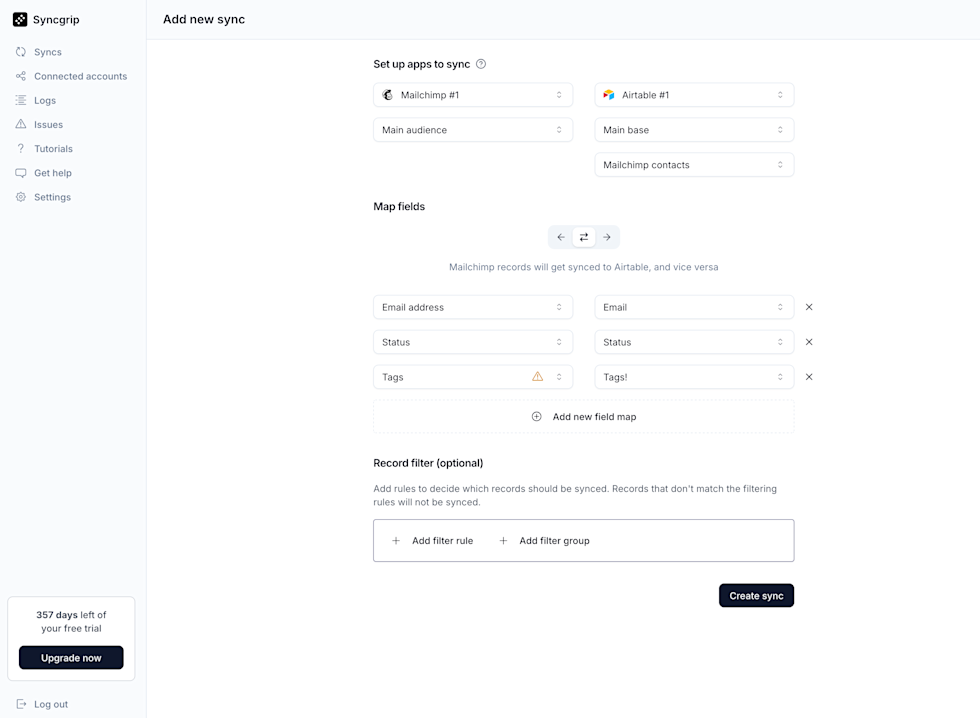
Screenshot of the Syncgrip “Add new sync” page showing a setup to sync Mailchimp #1 (Main audience) with Airtable #1 (Main base, “Mailchimp contacts” table). The screen displays field mappings for Email address → Email, Status → Status, and Tags → Tags (with a warning icon on Tags), plus an option to add a new field map. Below is a Record filter section with buttons to add filter rules or groups. A “Create sync” button appears at the bottom right. The left sidebar includes navigation items such as Syncs, Connected accounts, Logs, Issues, Tutorials, Get help, and Settings, along with a notice showing 357 days left of a free trial and an Upgrade button.

Connectez Airtable, Asana et Mailchimp en quelques minutes. Aucun code requis.

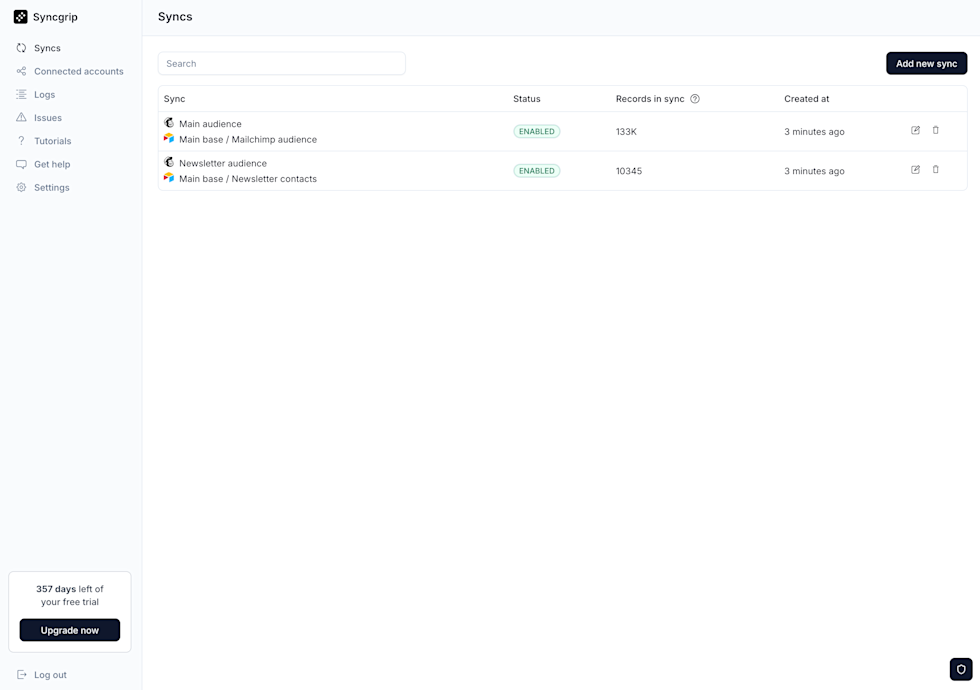
Screenshot of the Syncgrip “Syncs” dashboard displaying a list of active syncs. Two syncs are shown: “Main audience” (Main base / Mailchimp audience) with status ENABLED, 133K records in sync, created 3 minutes ago; and “Newsletter audience” (Main base / Newsletter contacts) with status ENABLED, 10,345 records in sync, created 3 minutes ago. Each row includes edit and delete icons. A search bar appears at the top, with an “Add new sync” button on the right. The left sidebar shows navigation items (Syncs, Connected accounts, Logs, Issues, Tutorials, Get help, Settings), a notice of 357 days left of the free trial with an Upgrade button, and a Log out option.

Surveillez vos synchronisations en temps réel