Meta: Facebook & Instagram Posting
Post, Schedule and Track the engagement of your Facebook and Instagram social posts directly from Mailchimp*
- Cost
- Free
- Developer
- Mailchimp
- Languages
- English, French, German, Spanish, Italian, Portuguese
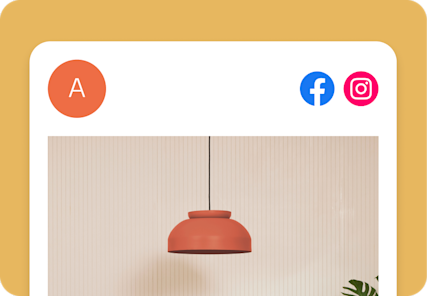
Facebook and Instagram Mailchimp Integration Overview
The Facebook and Instagram integration for Mailchimp streamlines your social media marketing by allowing you to create, schedule, and track organic posts directly from Mailchimp. By centralizing your social and email efforts, you can help ensure that you have a consistent brand voice across channels and help save time by managing everything in one place.
Combined with Mailchimp’s Content Studio, you can easily repurpose your email assets for social media and use data-driven insights to refine your strategy and boost engagement.
What Does This Integration Do?
Here are some popular ways to use this integration.
-
Publish to multiple networks at once
- Create a single post and share it across Facebook and Instagram simultaneously, ensuring your message reaches your followers on their preferred platforms without manual duplication
- Customize captions for each network to fit platform-specific requirements
-
Access and reuse your professional assets
- Pull images directly from your Mailchimp Content Studio to create visual posts that match your email branding beautifully
- Edit and enhance your visuals using Mailchimp’s built-in design tools to help ensure every post is eye-catching and on-brand before it goes live
-
Track performance and engagement in one place
- Monitor social post reports to see likes, comments, and views directly within Mailchimp, helping you understand what content resonates most with your audience
- Use these insights to fine-tune your messaging and identify the best times to boost engagement and reach
Key Benefits
Streamline your workflow: Help increase efficiency and save time by managing your social media and email marketing from a single, unified platform.
Boost brand consistency: Help ensure that your customers see the same high-quality visuals and messaging whether they open an email or browse their social feed.
Optimize for results: Gain a holistic view of your marketing performance across channels to help make smarter, data-driven decisions for your business.
Requirements
An active Facebook account that is an admin of at least one Facebook Business Page.
An Instagram Business account linked to your Facebook Page to enable Instagram posting.
For more information, visit the guide on Connect or Disconnect the Facebook Integration for detailed instructions.
*Disclaimers
- Integration: Mailchimp and Meta sold separately. Integration available. Availability of features and functionality varies by plan type. For details, view Mailchimp plans and pricing.
- SMS Marketing: SMS is available as an add-on to paid plans in select countries and requires application and approval before purchase. Australia messaging available only for contacts with +61 country code. Credits are purchased monthly, expire at the end of the billing cycle, and do not roll over. For each country, the first Sending Number registered at the account level is free; additional Sending Numbers in the same country are billed at the then-current monthly rate. Messages may only be delivered to contacts in countries where you have a registered sender for the relevant audience. Certain features, including MMS, are only available in specific countries and plan tiers. Pricing varies. Click here for details.