
Integrations

Syncgrip

Manage Mailchimp audiences from Airtable with real-time, two-way sync. No code, set up in minutes.

Cost
Paid
Developer
Syncgrip

Keep Mailchimp audiences in sync with Airtable & Asana. Two-way, real-time, no code. 14-day free trial.

Syncgrip is purpose-built for deep two-way synchronization, simpler and more cost-effective than automation tools like Zapier for keeping data in sync.
Support

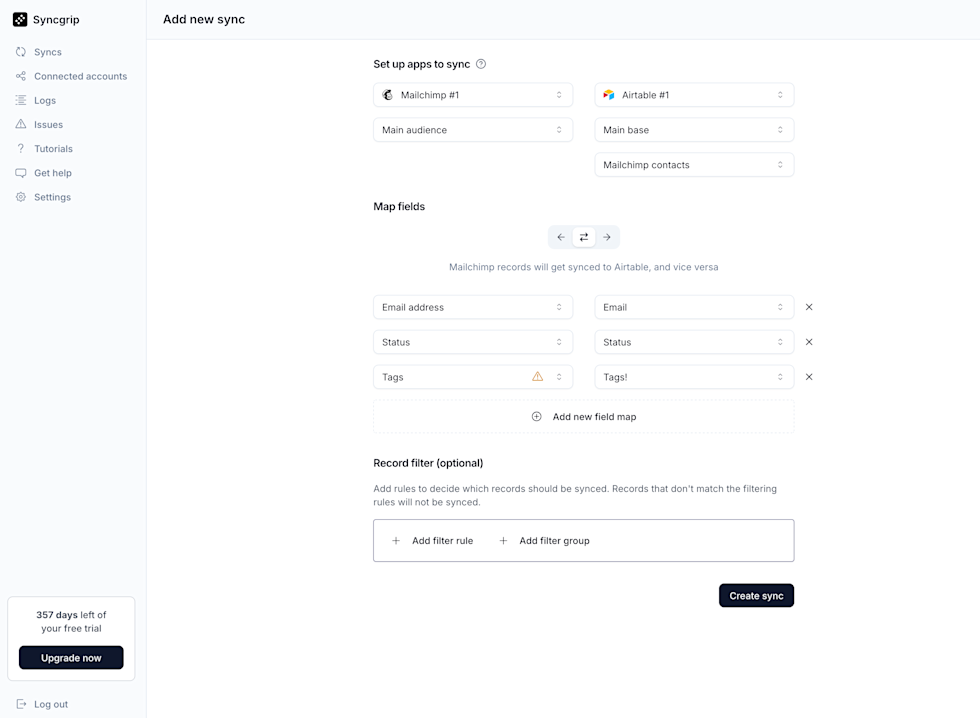
Screenshot of the Syncgrip “Add new sync” page showing a setup to sync Mailchimp #1 (Main audience) with Airtable #1 (Main base, “Mailchimp contacts” table). The screen displays field mappings for Email address → Email, Status → Status, and Tags → Tags (with a warning icon on Tags), plus an option to add a new field map. Below is a Record filter section with buttons to add filter rules or groups. A “Create sync” button appears at the bottom right. The left sidebar includes navigation items such as Syncs, Connected accounts, Logs, Issues, Tutorials, Get help, and Settings, along with a notice showing 357 days left of a free trial and an Upgrade button.

Connect Airtable, Asana, and Mailchimp in minutes. No code required.

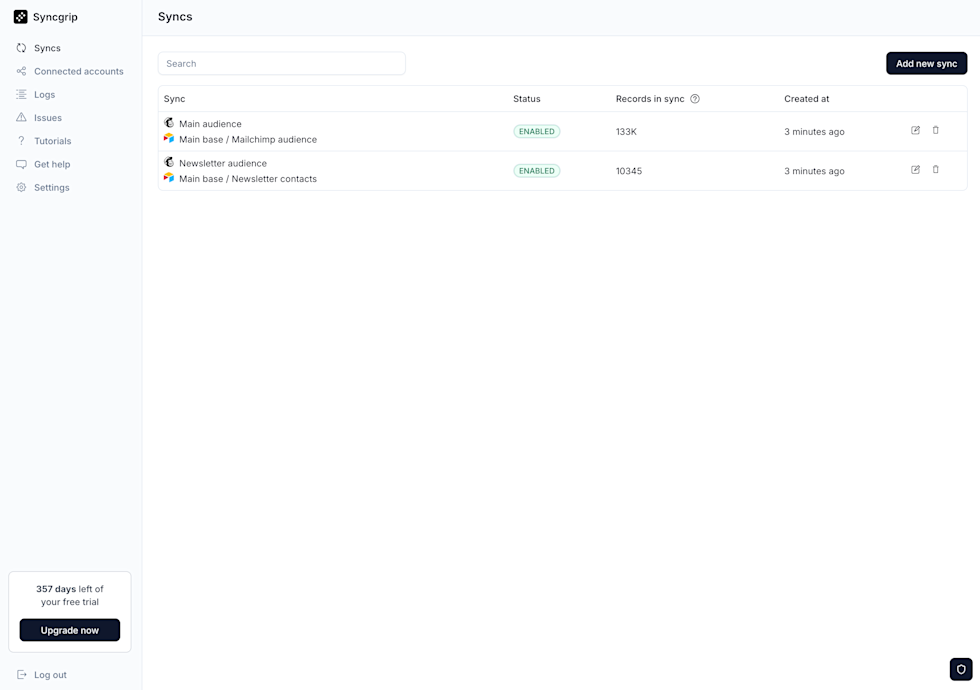
Screenshot of the Syncgrip “Syncs” dashboard displaying a list of active syncs. Two syncs are shown: “Main audience” (Main base / Mailchimp audience) with status ENABLED, 133K records in sync, created 3 minutes ago; and “Newsletter audience” (Main base / Newsletter contacts) with status ENABLED, 10,345 records in sync, created 3 minutes ago. Each row includes edit and delete icons. A search bar appears at the top, with an “Add new sync” button on the right. The left sidebar shows navigation items (Syncs, Connected accounts, Logs, Issues, Tutorials, Get help, Settings), a notice of 357 days left of the free trial with an Upgrade button, and a Log out option.

Monitor your syncs in real-time