


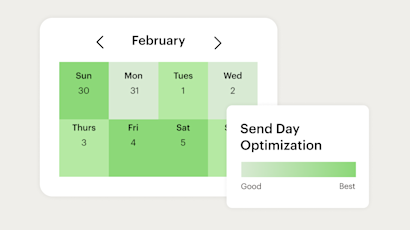
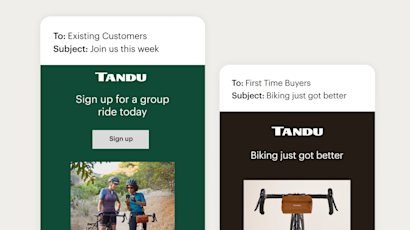
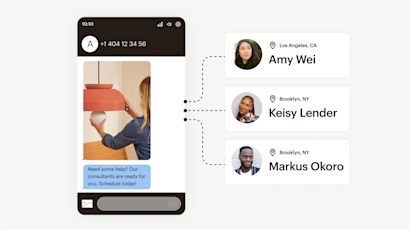
Understand at-a-glance how your campaign is performing across marketing touchpoints.
Campaign Manager
Manage campaigns smarter with webhooks and real-time automation
Mailchimp’s Campaign Manager lets you build campaigns across multiple channels, and manage them all from one unified platform.
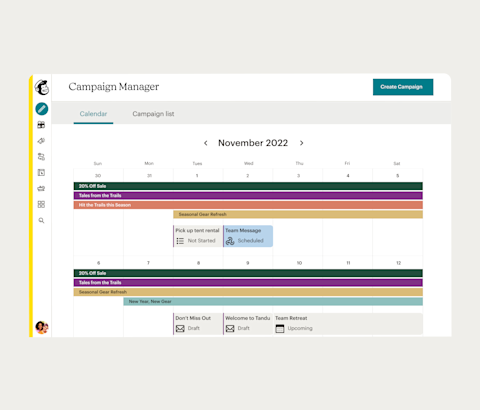
Plan multiple projects on one flexible timeline
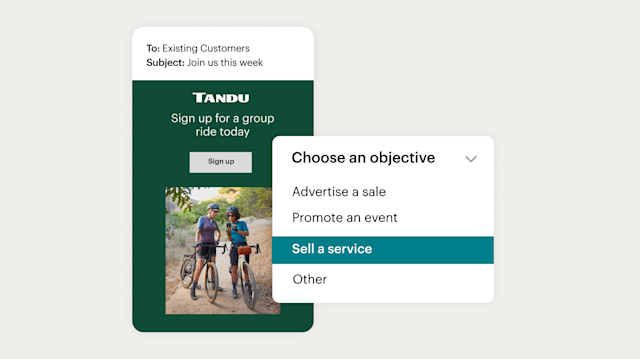
Define your goals and track their impact
Select a campaign objective that fits your marketing goals, then track your success.
Set an objective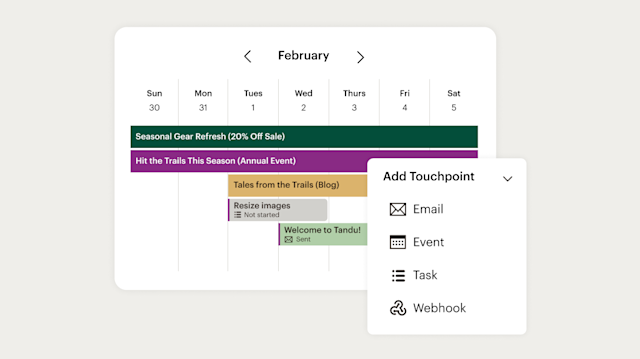
Visualize all aspects of your campaigns on one calendar
Monitor all of your campaign touchpoints, tasks, and reporting from a single source of truth.
Create a touchpoint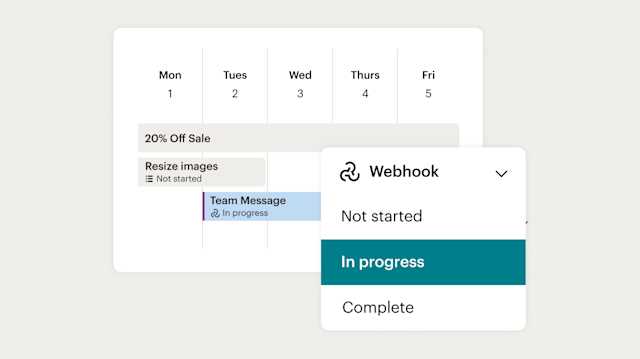
Integrate with webhooks and run campaigns from A to Z
Manage internal notifications, support tickets, to-do lists, and more by integrating your third-party apps to Campaign Manager via webhooks.
Create an SMS campaignManage multichannel campaigns all from one place
Take command of your tools from Mailchimp with webhooks
Webhooks allow you to schedule or automate actions using your favorite tools—so you can coordinate customer interactions, campaign launches, internal team updates and more, all from Mailchimp.
-
Build a custom audience
Add people to your customer audience.
-
Create discount codes
Generate discount codes for retail platforms.
-
Send push notifications
Send a mobile push notification.
-
Manage events
Send an invite or cancel an event.
-
Create orders
Create an order from a third-party sales channel.
-
Start a conversation
Send a message every time a lead contact comes in.
-
Manage mailing
Automate direct mail through your CRM system.
-
Update invoice status
Automatically update accounting software when invoices are paid.
-
Share files, folders, and drives
Share your internal files, folders, and drives.
-
Send an internal chat message
Send messages or updates to your internal chat system.
-
Cancel a subscription
Cancel a paid subscription or unsubscribe a contact from a subscription.
-
Send an SMS message by connecting a third-party app
Send an outgoing message to your customers.
Want to learn more about implementing webhooks?
Get started today
†See Free Trial Terms and Offer Terms.
Overagesapply if contact or email send limit is exceeded. Free plan sending will be paused if contact or email send limit is exceeded. Learn more.
Drive more growth with personalized campaign insights
-
-
Tailor your reporting view to prioritize the metrics that are most impactful to your business outcomes.

Our customers generated over 16 million orders in the first half of 2022*

What's new in Mailchimp?
Deliver personalized experiences over email & SMS with advanced generative AI and marketing automation flows
FAQs
-
Campaign management is the action of planning, executing, tracking, and optimizing marketing campaigns across channels. It includes everything from setting goals and building audiences to scheduling sends and measuring results, all in a coordinated way.
When your email, SMS, ads, and other efforts work together toward the same goal, they perform better than channels running in isolation. Coordinated campaigns create a consistent experience for your audience and give you a clearer picture of what's working.
Mailchimp's Campaign Manager puts all of this in one place. You can plan and launch email marketing campaigns and SMS campaigns, monitor performance, and make adjustments without jumping between tools or losing track of where things stand.
-
Campaign management software helps marketers plan, launch, and measure campaigns from a single platform rather than managing everything across disconnected tools. It typically brings together scheduling, audience targeting, performance reporting, and channel coordination in one interface. Here are a few things worth looking for when evaluating your options:
- Multi-channel support: The platform should handle the channels you actually use — email, SMS, ads, or others — so you're not managing campaigns in separate places.
- Goal tracking and reporting: You need clear visibility into how campaigns are performing against the targets you set, not just open rates and click counts.
- Automation: Business process automation features like triggered sends and audience segmentation save time and keep campaigns running consistently.
- Integrations: Look for connections to the tools already in your stack, including support for webhooks and APIs so data flows where it needs to go.
Mailchimp's Campaign Manager is built for small and mid-sized businesses that need capable campaign management software without the complexity of enterprise platforms. It covers multi-channel campaign creation, audience management, analytics, and automation in one place.
-
A webhook is an automated message from one app to another. It's sent when a specific event happens.
Instead of your system repeatedly checking for updates, the app with the information reaches out and sends it to you the moment something changes. In practice, a webhook delivers data to a URL you specify as soon as the triggering event occurs.
Because the communication is event-driven and immediate, webhooks are faster and more efficient than constantly polling an API for updates.
In the context of campaign management, webhooks let external tools respond to subscriber activity in real time, so when someone opens an email or unsubscribes, the right system knows about it right away.
-
Webhooks are used to trigger automated actions in one app based on events that happen in another. In marketing, they're most useful for keeping systems in sync and automating follow-up actions without manual effort.
Here are some common marketing and campaign management uses:
- Audience syncing: When a contact subscribes, unsubscribes, or updates their profile in Mailchimp, a webhook can push that change to your CRM or other platforms automatically.
- E-commerce triggers: A completed purchase or abandoned cart can fire a webhook that kicks off a follow-up email sequence without any manual input.
- Internal notifications: When a campaign hits a milestone or a subscriber takes a specific action, a webhook can alert your team through Slack, a support ticket, or a task management tool.
- Data routing: Webhooks can send event data to analytics tools or data warehouses so your reporting stays current without manual exports.
-
A webhook sends real-time data notifications from one application to another. It automatically pushes data as soon as the event occurs.
An API (application programming interface) accesses specific data or a specific functionality within an application. The client sends a request to the API endpoint to trigger the action or send the data.
-
There are two main things you need to do when creating a webhook. First, you'll define the webhook. Then you'll set up the receiving application. Here are the basic steps to get started:
- Choose the event: Determine which event in Mailchimp will trigger the webhook — a new subscriber, an unsubscribe, a profile update, and so on.
- Define the webhook: Create a webhook endpoint that will receive the HTTP POST requests from the sending application.
- Set up the receiving application: Configure the receiving application to handle incoming webhook requests.
- Test the webhook: Send a test request to your endpoint to confirm everything is working correctly before it goes live.
- Monitor and maintain the webhook: Keep your webhooks up to date if relevant URLs or processes change, and make sure data sent through them is encrypted and secured with current best practices.
Visit our page on how to use webhooks to learn more about webhook applications, software that supports them, and how to set up a new webhook in Mailchimp.
-
Webhooks make campaign management more responsive by connecting your marketing activity to the tools and workflows around it. Instead of manually moving data between platforms or checking for updates, things happen automatically when they're supposed to. Here's what that looks like in practice:
- Third-party app connections: Webhooks link external tools directly to Campaign Manager, so subscriber activity in Mailchimp can trigger actions in your CRM, e-commerce platform, or other software right away.
- Automated internal workflows: When a campaign event occurs, a webhook can open a support ticket, create a task, or send a team notification.
- Real-time audience syncing: Audience data stays consistent across platforms because changes are pushed automatically rather than waiting for a scheduled export or manual update.
- Multichannel coordination: Webhooks can trigger actions across email, SMS campaigns, and other channels simultaneously, so your campaign launches stay coordinated without extra effort on your end.
The result is a campaign management setup that reacts faster and requires less manual intervention, which means more time spent on strategy and less on keeping systems in sync.
Ready to save time and drive sales?
Disclaimers
- Users with connected stores.
- SMS is available as an add-on to US paid plans only and SMS credits are added to your account after purchase. Application and agreement to terms is required before purchasing credits. Credits are issued monthly and unused credits expire and do not roll over. Pricing varies. See terms for details.