Audience-centered
Audience-Based Marketing Tools & Software
See how Mailchimp helps you put your audience at the heart of your marketing.
Subject Line Helper
Plus, get real-time feedback on how to refine subject lines as you're writing them.

Improve your open rates with data-driven feedback on word count, character count, punctuation, and emoji use.

Compare 2 subject lines with an A/B test to see what resonates with your audience. Mailchimp will automatically send out the winner.

Mailchimp sends more than 10,000 emails every second. This data powers subject line helper to guide you toward compelling subject lines that get your audience’s attention.

As you’re writing, subject line helper provides feedback on word and character count, as well as emoji and punctuation use. It’s your free, personal editor.
A good subject line is short, specific, and gives the reader a reason to open. Aim for nine words or around 60 characters. Other things that make a good email subject line include:
Mailchimp's subject line helper works automatically as you write inside the campaign builder. Green checkmarks confirm best practices; alerts flag issues with specific suggestions to fix them. You can also review recent subject line performance history in the tool to spot patterns over time. For a broader framework, subject line testing covers what separates high performers from low ones.
The subject line helper evaluates your subject line across five areas, powered by data from more than 10,000 emails sent per second through Mailchimp:
A subject line test sends two versions of the same email, each with a different subject line, to separate segments of your list. The version with the higher open rate wins and is automatically sent to the rest of your audience. It's the most reliable way to make decisions based on your actual subscribers rather than general data. Subject line tests are available on all paid Mailchimp plans. Explore AI-generated email subject lines if you want to generate variations faster.
Select Create → Email → A/B test, then choose the subject line as your variable. For formal email sends, nailing the right tone in your variations matters as much as the words themselves. From there:
The subject line helper gives you real-time feedback as you write. It catches length, punctuation, and spam issues before anything gets sent. A subject line test tells you what your specific audience responds to once it does. For example, last-chance email subject lines perform very differently across audiences — the kind of variation only a live test can reveal. Use the helper to write a stronger subject line. Use the test to find out which one wins.
Audience-centered
See how Mailchimp helps you put your audience at the heart of your marketing.
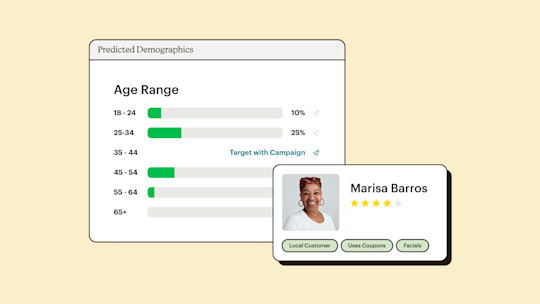
Smart Insights
Mailchimp's marketing insights tools analyze your audience, benchmark your performance, and surface recommendations so every campaign gets smarter than the last.
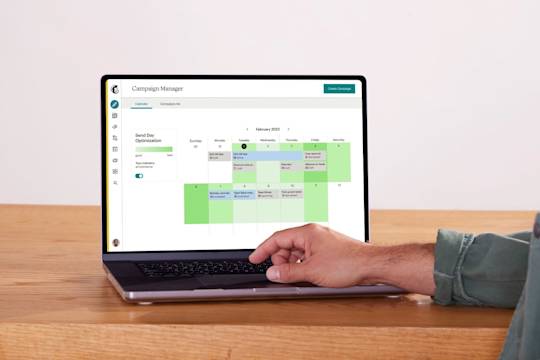
Campaign Manager
Create, manage, and analyze multi-channel campaigns all in one place with Mailchimp's Campaign Manager. Utilize webhooks for a seamless integration with third-party apps. Try it now!
*Disclaimers