


Free signup forms that grow your audience your way
Our all-in-one Marketing Platform makes it easy to collect customer data and use it to send personalized, relevant content.

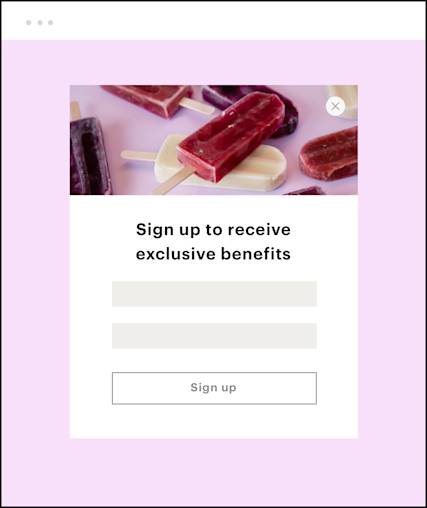
Turn website visitors into subscribers
Our customizable pop-up, embedded, and hosted signup forms help you get new contacts and collect all the details you need from them.
Ready to reach more people and increase the relevance of your marketing?
Start building your email list with our all-in-one Marketing Platform.

Grow your online business with our trusted all-in-one Marketing Platform
Our channels and digital marketing tools can help your business deliver the right message to the right people at the right moment.

Save money with our referral marketing program
Need more advanced options? Existing Mailchimp customers who sign up for a paid plan can save $30* off their monthly bill for each new paying customer they refer. The more people you refer, the more you both can save.
Choose the best plan for your business

See what else Mailchimp can do for you
No matter your business type or experience level, our award-winning Marketing Platform can help you understand your audience, reach them when it matters most, and get smarter as you grow.
-
Mailchimp offers four types of signup forms to match how and where you want to grow your audience.
- Popup forms: Appear over your page content based on behavioral or timing triggers.
- Embedded forms: Live directly on your website, sitting within a page layout.
- Hosted forms: Mailchimp-generated pages with their own URL.
- Landing pages with signup form blocks: A full Mailchimp-hosted page experience where the form is one element of a broader marketing message.
Build and customize any of these forms without writing a single line of code.
-
Every Mailchimp signup form collects an email address. But you can go further, adding fields for:
- Name
- Phone number
- Location
- SMS consent
- Custom fields (demographic data, preferences, purchase intent)
Learn more about effective email capture strategies to decide which fields will serve your audience best.
-
Creating a signup form in Mailchimp takes just a few minutes. Here's how:
- Use the Form Builder: Navigate to Audience → Forms
- Choose your form type: Popup, embedded, or hosted
- Customize the design: Update the fields to match your branding
- Publish or copy embed code to your site: For a full walkthrough, review how to embed forms on your site.
-
Mailchimp signup forms are flexible to work almost anywhere you're trying to reach people, like:
- On your website: Embed a form or add a popup.
- As a standalone link: Share it in an email signature, a social media bio, or anywhere you can paste a URL.
- On a Mailchimp landing page: Build a dedicated page with a signup form block.
- On Facebook: Integrate with Facebook so you can add a signup tab directly to your business page.
The best placement depends on where your audience already spends time. Online form building best practices can help you match each channel to your goals.
-
The best signup forms make it easy for the right person to say yes.
- Lead with a clear value proposition: Give visitors a reason to subscribe.
- Use minimal fields: Ask only what you need.
- Match your brand: Good contact form design goes a long way toward building that trust.
- Place it where it will actually be seen: Above the fold, at the end of a blog post, or triggered at the right scroll depth.
Small details add up — signup forms that work tend to nail the basics before optimizing anything else.
-
A popup signup form is a form that appears over your page based on triggers, such as:
- Time on page
- Scroll depth
- Exit intent
Popup forms outperform embedded forms because they're impossible to miss. They are best used with a clear offer, like a discount code, a free resource, or exclusive content. Popup forms are fully customizable in Mailchimp.
-
Yes. Signup forms are available on every Mailchimp plan, including the free plan.
- Free plan: Popup forms, embedded forms, and hosted signup forms are all available at no cost.
- Essentials and above: Includes everything in the free plan, plus SMS consent fields.