


Free surveys, real customer insights, smarter marketing decisions
Our surveys can help you stay connected to your customers and quickly find out what’s working and what’s not.

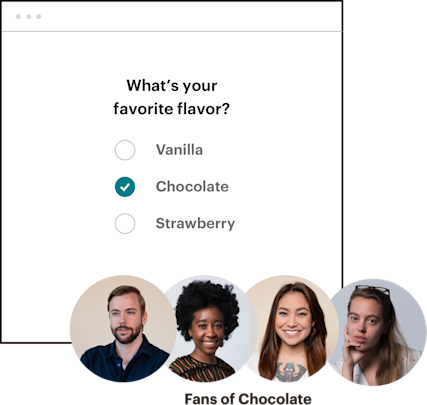
Grow your business with customer feedback
The success of a business relies on your ability to meet customers’ needs. With Mailchimp surveys, you can measure customer satisfaction, determine your product-market fit, and more.
Want to better understand the needs of your customers?
Start collecting—and taking action on—customer feedback with our all-in-one Marketing Platform.

Grow your online business with our trusted all-in-one Marketing Platform
Our channels and digital marketing tools can help your business deliver the right message to the right people at the right moment.

Save money with our referral marketing program
Need more advanced options? Existing Mailchimp customers who sign up for a paid plan can save $30* off their monthly bill for each new paying customer they refer. The more people you refer, the more you both can save.
Choose the best plan for your business

See what else Mailchimp can do for you
No matter your business type or experience level, our award-winning Marketing Platform can help you understand your audience, reach them when it matters most, and get smarter as you grow.
FAQs
-
Survey software lets you create, distribute, and analyze surveys online — all in one place. You can use it to run customer satisfaction surveys, product feedback surveys, NPS, and market research. The biggest advantage of online survey software is that you get direct feedback from your audience, telling you exactly what's working and what isn't. Mailchimp's survey tools are built into the same platform you use for email, ads, and automations. That means your survey data lives alongside everything else, so you can act on it right away.
-
Mailchimp's online survey software covers a wide range of use cases, from quick polls to in-depth customer surveys. Here are the survey types you can build:
- Customer satisfaction surveys: Find out how customers feel about their experience after a purchase or interaction.
- Product-market fit surveys: Gauge whether your product is solving the right problems for the right people.
- Post-purchase feedback surveys: Collect impressions while the experience is still fresh.
- Audience preference surveys: Learn what your subscribers actually want to hear from you.
- NPS surveys: Measure customer loyalty with a single, standardized question.
- SMS surveys: Reach contacts directly on their phones for faster response rates.
-
You create customer surveys directly inside Mailchimp, then send them via email campaign or embed them in a landing page. Responses flow back into your audience data automatically, with no manual importing needed. From there, you can use those results to segment your contacts and set up automated follow-ups based on what people said.
-
With a standalone tool, you collect responses and then figure out what to do with them. With Mailchimp, the loop is already closed. Here's what that looks like in practice:
- Connected to your contact list: Survey responses are tied to real contacts in your audience, not just anonymous data points.
- No extra exports: Results live inside Mailchimp, so you don't have to move data between platforms.
- Automated follow-ups: A survey response can trigger a personalized email sequence without any manual work.
- One platform: Email, social, ads, and surveys all run from the same place.
-
To send a poll or survey to subscribers, follow these steps:
- Build it in the survey builder: Create a survey inside Mailchimp using the drag-and-drop builder.
- Choose how to share it: Embed it in an email campaign or share it as a standalone link.
- Pick your audience segment: Send to your full list or a specific group of contacts.
- Track responses: Monitor results directly in your Mailchimp dashboard as they come in.
Survey sending is available on the Standard plan and above.
-
Survey design is only half the work — what you do with the results is where it pays off. These are the ways survey data can sharpen your marketing:
- Smarter campaign planning: Know what your audience wants before you write a single email.
- Better segmentation: Group contacts by what they told you, then send them content that actually fits.
- Product-market fit feedback: Use what you learn to shape your product messaging and roadmap.
- Personalized follow-ups: Trigger emails based on specific answers — someone who rated their experience a 3 gets a different message than someone who rated it a 9.
- Connected reporting: Tie customer satisfaction data to campaign performance so you can see the full picture.
-
Basic survey features are available on the Free and Essentials plans. If you want advanced features and full response tracking, you'll need the Standard plan or above. SMS survey functionality requires a separate SMS plan.