Build free, unlimited landing pages that grow your audience and drive sales
Mailchimp makes it easy to design and publish unlimited landing pages for finding new contacts or selling your stuff. No coding or e-commerce store required.

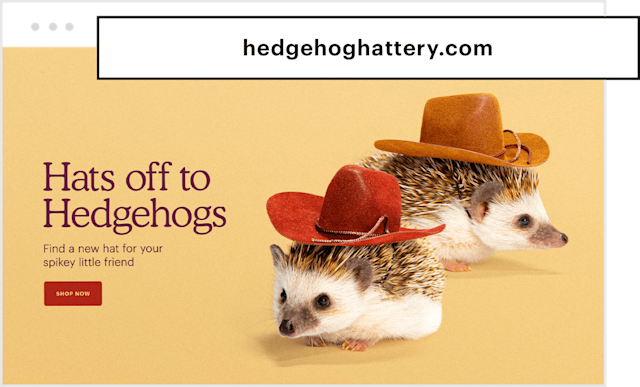
Establish your online presence with Mailchimp
Whether you’re just starting out or you're already a pro, our landing pages and website marketing tools can help you grow your business online.
Already have an online presence?
Stay connected and engaged with your customers with the help of our all-in-one Marketing Platform.
Grow your online business with our trusted all-in-one Marketing Platform
Our channels and digital marketing tools can help your business deliver the right message to the right people at the right moment.

Save money with our Referral Program
Need more advanced options? Existing Mailchimp customers who sign up for a paid plan can save $30* off their monthly bill for each new paying customer they refer through our referral program. The more people you refer, the more you both can save.
Choose the best plan for your business
See what else Mailchimp can do for you
No matter your business type or experience level, our award-winning Marketing Platform can help you understand your audience, reach them when it matters most, and get smarter as you grow.
FAQs
-
A landing page is a standalone web page built around a single goal, such as collecting contacts, selling a product, or promoting an offer. Unlike a homepage, it has no navigation menu or competing links pulling visitors in different directions. Every element on the page points toward one action.
That focused structure makes landing pages especially useful for product launches, ad campaigns, lead generation, and event signups. When someone clicks your digital ad or email link, they land somewhere designed specifically for that moment — not a general website page.
With Mailchimp, your landing pages connect directly to your audience and campaigns, so every signup or sale feeds right back into your marketing without extra steps.
-
A landing page builder is a tool that lets you create a landing page and publish it without writing code or hiring a designer. You choose a layout, customize the content, and hit publish — no technical background required. Here's what to look for in a good landing page builder:
- Templates: Pre-built designs give you a head start so you're not starting from a blank page every time.
- Drag-and-drop editing: You should be able to move elements around, swap out images, and update copy without touching a line of code.
- Mobile-responsive design: A page that looks broken on a phone loses visitors fast. Good builders handle this automatically.
- Analytics: Knowing how many people visited, clicked, and signed up tells you what's working.
- Integrations: Your landing page should connect to your email platform, CRM, or other tools so leads don't fall through the cracks.
Mailchimp's landing page builder handles all of this in one place. Design, publish, and connect to your marketing without switching between tools. You don't even need an e-commerce store to sell products directly from a shoppable landing page.
-
Yes. A free landing page is available on all Mailchimp plans, including the free plan. You can create unlimited landing pages and shoppable landing pages at no cost. No coding is required on any plan.
If you want to use a custom domain, you'll need the Essentials plan or above. On the free plan, your pages publish under a Mailchimp subdomain.
-
Mailchimp supports several landing page types depending on what you're trying to accomplish. Here are the most common options:
- Lead generation landing pages: Collect contacts through a signup form. These are great for building your email list before a launch or campaign.
- Product landing pages: Showcase a specific product and drive purchase decisions without the distraction of a full storefront.
- Shoppable landing pages: Let visitors buy directly from the page.
- Event or promotion pages: Announce a launch, share a limited-time offer, or promote an upcoming event with a focused, single-purpose page.
- Link in bio pages: Create one destination to share across your social media profiles, with links to all your most important content.
Check out these landing page examples for more inspiration.
-
High-converting landing pages have a few things in common. The most important thing is clarity. You need one goal, one call to action, and nothing pulling the visitor's attention away from it. These elements consistently separate effective landing pages from ones that don't perform:
- A headline that matches your ad or link: If someone clicks an ad about a specific sale and lands on a generic homepage, they'll leave. Your headline should pick up exactly where the click left off.
- Minimal navigation: Fewer exits mean more visitors stay focused on the action you want them to take.
- Mobile-responsive landing page design: More than half of web traffic comes from phones. If your page doesn't load cleanly on mobile, you'll likely lose a huge portion of your audience.
- Fast load time: Every second of delay costs you visitors. Keep your page lean.
- A direct connection to your marketing platform: Capturing a lead is only useful if it flows somewhere. When landing pages connect to your email platform, you can follow up immediately.
-
When someone signs up through your Mailchimp landing page, they're added directly to your audience. From there, you can trigger an automated welcome sequence, tag them by campaign, or segment them for future sends.
You can also track how each page performs in your campaign reports: views, clicks, signups, and revenue all show up in one place. That makes it easy to see which landing pages are doing the work and which ones need attention.
Landing pages also work as destinations for your email, social, and paid ad campaigns, tying your entire marketing funnel together in Mailchimp.
-
Creating a landing page with Mailchimp takes just a few steps. Here's how the process works:
- Go to Create and select Landing Page: This opens the landing page setup flow inside your Mailchimp account.
- Choose a template or start from scratch: Mailchimp offers pre-built landing page templates for different goals. Pick one that fits your campaign or build your own layout.
- Use the drag-and-drop builder: Add and arrange text, images, products, and signup forms without any coding. Move things around until the page feels right.
- Connect to your audience and set your URL: Link the page to the right audience segment and choose the URL where it will live.
- Publish: When you're ready, hit publish. No developers, no code, no waiting.