Product Advice
How to Manage Your Audience in Mailchimp
Get organized and put your customer data to work when you use Mailchimp for CRM.
8 min read


Tags & Custom Fields
With all your contact insights organized in Mailchimp, it’s easy to send messages that matter.

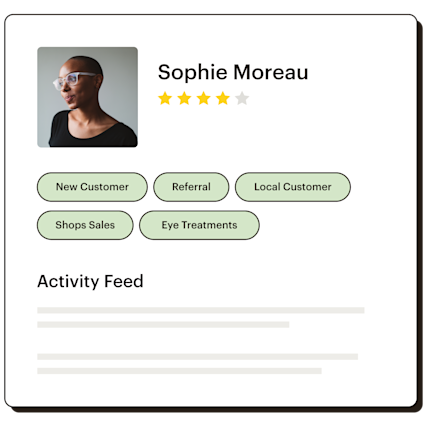
Tags are customizable labels you create for your contacts based on what’s important for you to know. While Mailchimp comes with lots of built-in ways to search within your audience data, tags let you add insights unique to your needs—then use them to create segments.
Best of all, they’re completely flexible: easily stay organized when you tag multiple contacts on import, or even add tags automatically based on the specific landing page they signed up on.
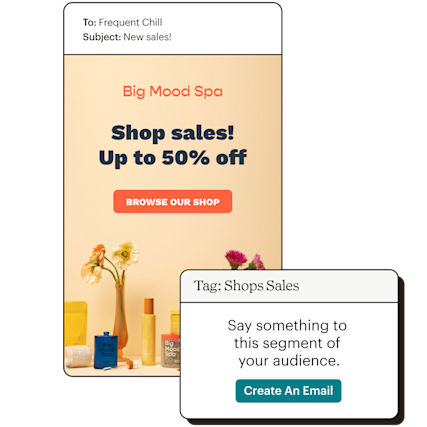
Once you start tagging contacts, you’ll see your most commonly used tags on your audience dashboard, so you can start sending targeted campaigns to these segments with just a few clicks.
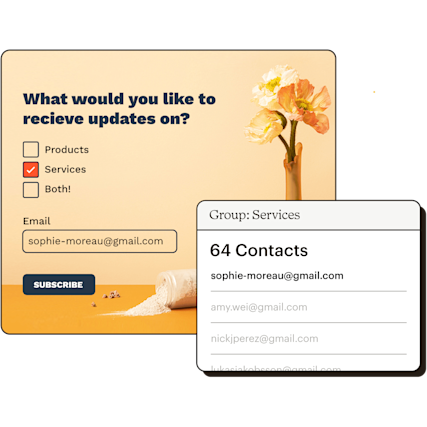
By adding customized fields to your Mailchimp signup forms, you can let your contacts tell you about their preferences, and organize contacts based on specific interest groups within your audience.
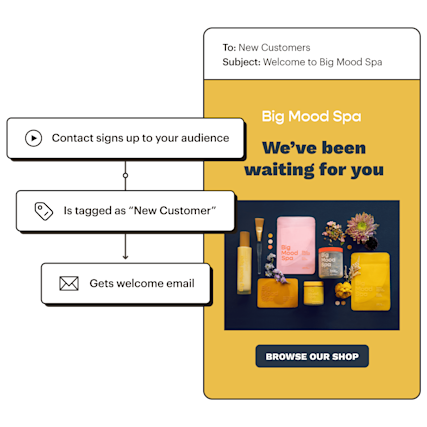
Now that you know what your audience likes, you can deliver automated messages tailored to their behaviors and preferences. Our Customer Journey Builder allows you to visually build paths to send relevant messages based on tags. For example, you can tag a new customer, and start a welcome journey as soon as the tag is applied.
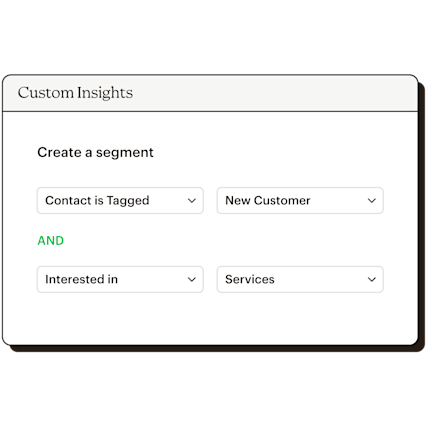
As you bring custom insights into Mailchimp, they’ll also be added as filtering options for building segments—so you can use a combination of tags, custom form fields, and a number of other filters to find exactly who you want to talk to as your audience grows.
“We're using tags to organize our audience depending on what they've done and how they interact with us. I’m a marketing department of one, so having an easy method to segment our audience is essential.”

Get to know who’s using your web or mobile app and automatically create tags based on interests and attributes—so you can quickly take action on these insights in your marketing. From a flexible API to a new Mobile SDK, Mailchimp makes it easy to connect your data.




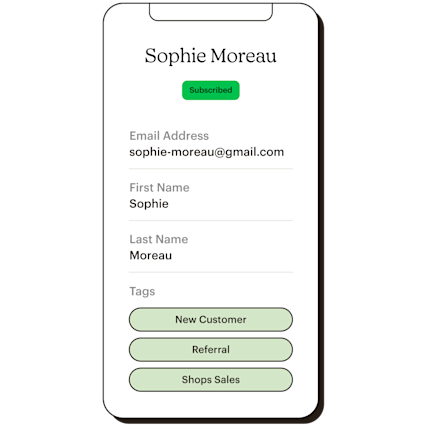
Create, edit, and delete tags from a contact in the moment. Save time by sending targeted campaigns based on tags or segments in just a few clicks.
A custom field can be added to signup forms to obtain information about your contacts. By using custom form fields, you can build customer segments and tailor your content and marketing campaigns to appeal to subscribed contacts.
There are several advanced custom fields you can use, including:
If you have a Shopify store, you can use a signup form with custom fields and transmit the data directly to Mailchimp. Keep in mind that this feature is for those with coding experience. If you don’t know how to code, contact a Mailchimp expert for further assistance.
When you connect your Shopify store to Mailchimp, you can easily add custom tags to organize your contacts and create segmented audiences. This way, you can ensure that your contacts receive content they actually want to see.
Custom tags can help you segment your customers. These tags are used to label your contacts and take note of anything you deem important. Custom tags are also great for organizing your customers based on their specific interests or attributes. With these tags, you can send targeted campaigns to your segmented customers and enable tag-triggered automations.
To start segmenting your audience using customizable tags on Mailchimp, identify the contacts that you want to categorize. You can create tags directly on a contact’s profile, from the Tags page in your audience, or from the contact table. You can also tag contacts who use your signup form and tag contacts in bulk.
Once you’re done tagging your contacts, you can view or filter your audience by tags. This will allow you to quickly find customer segments.
For many small businesses, customer segmentation is something that’s often avoided. However, segmenting your audience is easier when you use custom tags. Tags allow you to categorize your contacts, and by doing this in bulk, you can segment in less time. Plus, you have access to pre-built segments when you use Mailchimp. Our pre-built segments use data from your campaign activity, purchase history, and other sources to create custom segments for your business. Here are some examples of pre-built segments:
To use pre-built segments, choose the segment you’d like to send the campaign to in the campaign builder.
Product Advice
Get organized and put your customer data to work when you use Mailchimp for CRM.
8 min read
Product Advice
The hardest thing about ‘segmentation’ is the term itself—learn how to get started.
6 min read
Business Tips
How to use customer data—from email engagement to purchase history—to send more targeted campaigns in Mailchimp.
6 min read
*Disclaimers