Tags & Custom fields
Unlock better targeting when you organize your contacts in Mailchimp
With all your contact insights organized in Mailchimp, it’s easy to send messages that matter.
Audience Dashboard
Our audience dashboard gives you the tools you need to understand contact data and act on it—all in one place.
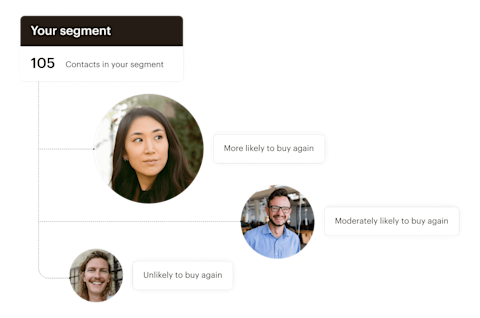
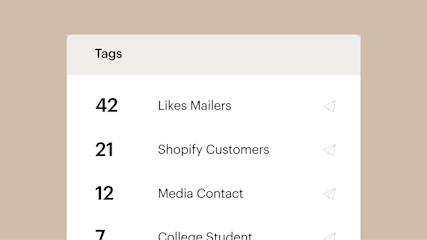
This isn’t your average dashboard. Every section is clickable, so you can instantly launch campaigns based on what you learn from your data. And when you start every campaign with your contacts’ interests in mind, it’s easier to create marketing that matters to your people.
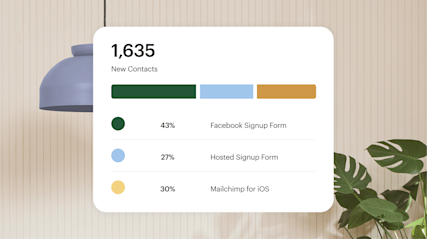
Your contact data is one of the most important tools you have as a marketer, and when you store it in Mailchimp, your audience dashboard will help you understand it holistically. Spot patterns in your data at a glance, keep tabs on trends, and always know who you’re talking to—even as your audience evolves.

The independent toy line thought they knew who was buying their products, but the data told a different story—and helped them reach new customers with more targeted messages.
When you know who you’re talking to, you know what to say. We’ll get you started with a few pre-built segments, right in your dashboard.

Find out where your newest contacts came from.

Easily target messages to contacts based on your tags.

Find out where your contacts are located.

Reach out to people based on how they interact with your emails.

Send personalized messages based on your contacts' predicted age and gender.
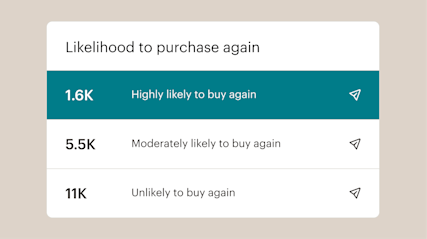
If you have a paid account with a connected store and purchase data, your audience dashboard will also show an estimate of your customers’ lifetime value (CLV) and their likelihood to purchase again.
We use predictive modeling to learn from your purchase data and create segments of customers based on how likely they are to purchase from you again, and how much they’re likely to spend in your store in the future—so you can use these insights to reward VIPs, or bring occasional buyers back.
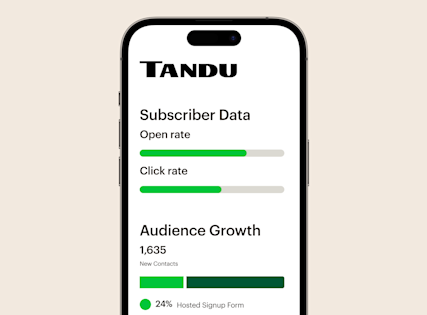
Keep tabs on your contacts’ engagement and activity at any time. Monitor subscriber growth, track open and click rates, and get information about individual contacts—all from the palm of your hand.
A marketing analytics dashboard allows you to gain a deeper understanding of who your customers are, plus it can help you identify audiences you may have otherwise overlooked. With Mailchimp, every piece of information is clickable, allowing you to launch campaigns from the available data.
The best part is that you don’t have to leave the Mailchimp platform to complete this goal. Our marketing dashboard has all the tools you need on a single platform, making it easier to grow your sales and generate leads.
Data collected from your audience will automatically be available on your Mailchimp marketing dashboard. As a result, you don’t have to create a marketing dashboard from scratch or spend time reviewing complicated analytics.
With more time on your hands, you can focus on making engaging content for existing contacts and prospects. Plus, your marketing analytics dashboard will always be up-to-date, so you’ll always know where your audience stands in real-time. Our audience analytics dashboard is also simple to use, empowering you to start using it as soon as the data flows in.
A marketing analytics dashboard provides a holistic overview of your audience in one centralized location. So, you can keep track of all your contacts in one place. Plus, these types of dashboards are typically designed with audience analytics tools that help you understand the behaviors of your customers.
For example, the Likelihood to purchase again feature allows you to gauge which contacts are most likely to buy from your brand again. Based on this information, you can create stunning campaigns with our email builder that are specially made with these contacts in mind.
Yes, you can have different audiences on the Mailchimp marketing campaign dashboard. After all, having multiple audiences can help you tailor your email campaigns to specific people. Ultimately, this ensures the right people receive the right content for them.
To create an audience, click the Audience tab and select the Audience dashboard. Then, find the Current audience drop-down and click on View audiences. From there, you’ll choose Create Audience and provide vital pieces of information, including campaign URL settings, audience name, and so forth.
Before you begin creating different audiences, we recommend maintaining a primary audience and using our segmenting and tag tools to keep your contacts organized.
To view your audience dashboard in Mailchimp, simply click the Audience tab. From there, you’ll gain access to the following insights:
With all this information in one place, you can gain a deeper understanding of your existing customers and create specially curated content for them or identify new segments to target. Our all-in-one marketing platform even makes it easy to create campaigns without ever having to leave the Mailchimp platform.
Tags & Custom fields
With all your contact insights organized in Mailchimp, it’s easy to send messages that matter.
Audience Management
See how Mailchimp’s audience management tools can help you create audience and customer segments for better marketing campaigns.