Product Recommendations
Send personalized product recommendations in every email
Effortlessly create more cross-selling opportunities. Connect your store to Mailchimp and start recommending personalized, best-selling, and new products to your customers.

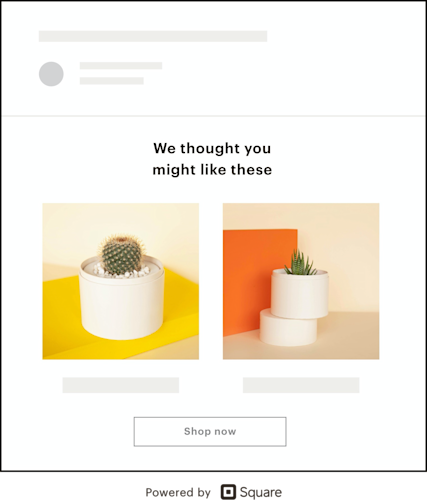
Put your sales data to work
Find your store in our integrations directory, connect it to your Mailchimp account, and unlock features that will help increase your repeat purchase rates.
We give you 3 easy ways to recommend your products and get more sales.
Personalized Product Recommendations

Highlight your new arrivals
Show your customers what you've been up to—without doing any of the work. We'll curate a list of your latest products so you can start marketing them as soon as they’re available on your site.

Showcase your best sellers
Consumers trust popular products. Make their purchasing decisions easier by bringing more attention to the stuff your other customers already love. We'll identify the most popular items from your store, so you can put them front and center in your marketing.

Make personalized product recommendations
When you connect your store, Mailchimp will automatically predict which products your customers are most likely to buy, so you can add them to your emails and drive more sales with less effort.
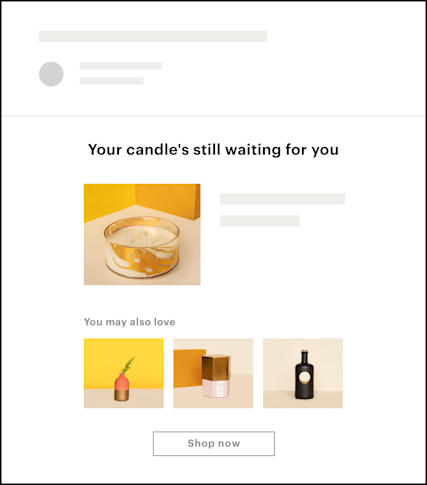
Bring back people who abandon their shopping cart
69% of shoppers abandon their carts before checking out. Our tools make it easy to retarget those customers and recapture lost sales. When you add any product recommendations type to an abandoned cart email, you can suggest new stuff to people you're trying to bring back to your store.
What's new in Mailchimp?
Spend less time creating emails and reports—and accelerate growth—with our advanced new marketing features.
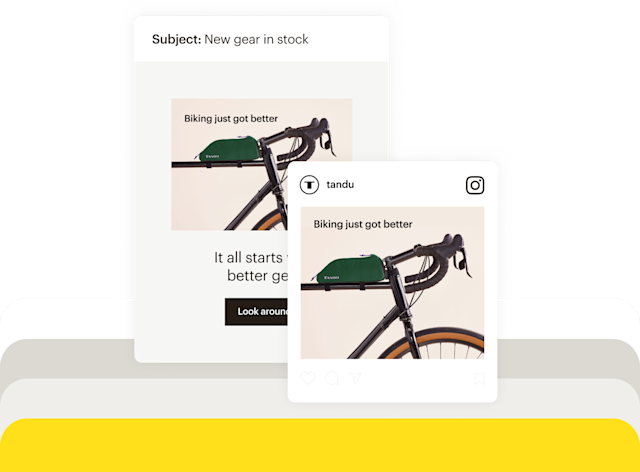
“The personalized product recommendation feature is really cool. It makes each email specific to the customer—I don’t have to do anything. All I did was pull this content block and drop it in the email, and then everyone has a custom email.”
Start driving more sales with personalized, best-selling, and new arrival product recommendations.
Add product recommendations to any of your email campaigns in a few quick clicks. Available in all Mailchimp plans.
FAQs
-
Personalized product recommendations are automatically generated product suggestions based on each customer's individual purchase history, browsing behavior, and preferences. Unlike a generic best seller list that looks the same for every visitor, personalized marketing is different for each customer and tailored to what they've already shown interest in.
Personalized product recommendations in e-commerce help increase average order value, encourage repeat purchases, and make customers feel like your store actually understands what they want.
-
The process starts with data. Mailchimp collects purchase history, browsing behavior, and product affinity signals from your connected store. A prediction engine then analyzes those patterns to figure out what each customer is most likely to buy next. When it's time to send personalized emails, recommendations are dynamically generated per customer, so two people on your list can receive the same email campaign, and each sees a completely different set of products. Once your store is connected to Mailchimp, this all happens automatically. You don't have to manually pick products for every send.
-
Mailchimp offers three recommendation types for personalized product recommendations for online stores, and you can combine all three in a single email campaign:
- Personalized recommendations: Products predicted based on each individual customer's data, such as what they've browsed, purchased, and shown affinity for.
- Best sellers: The most popular products across your store, pulled automatically. This option is ideal for broad sends or new customer welcome emails.
- New arrivals: The latest products added to your catalog, curated automatically as your inventory updates.
-
Setup is straightforward. Here's how it works:
- Connect your store: Use Mailchimp's integrations directory to link your ecommerce platform. Once connected, your purchase and product data syncs automatically.
- Add a product recommendation block: Inside any email campaign, drag in a product recommendation content block wherever you want it to appear.
- Choose your recommendation type: Select from personalized recommendations, best sellers, or new arrivals, or use more than one in the same email.
- Send: Mailchimp auto-populates the block with relevant products at send time. No manual product entry required.
Product recommendations are available on all Mailchimp plans. Check out these email personalization tips to get even more out of your campaigns.
-
Yes. You can add any recommendation type to an abandoned cart email. The majority of shoppers leave before completing checkout, and abandoned cart messaging that includes product recommendations gives them another reason to come back. Instead of just showing the items they left behind, you can surface new products alongside the cart contents, which helps recapture lost sales while introducing customers to things they haven't seen yet.
-
Mailchimp connects with a wide range of ecommerce platforms through its integrations directory. Supported platforms include Shopify, WooCommerce, Squarespace Commerce, and more. Once connected, your purchase and product data syncs automatically, with no manual product entry needed on your end to create personalized content.
-
The main difference comes down to who sees what. Here's how they compare:
- Best sellers: The same popular products go out to everyone on your list. They work well for new customers who don't have any purchase history yet. There's no individual data to work from, so showing what's popular is a reasonable starting point.
- Personalized recommendations: Each customer gets a unique product selection generated from their own purchase and browsing history. Omnichannel personalization like this is most effective for repeat customers, where there's enough data to make accurate predictions about what they're likely to buy next.
Using both together — personalized recommendations for existing customers and best sellers for new ones — is a practical way to personalize the customer experience.
See what else you can do
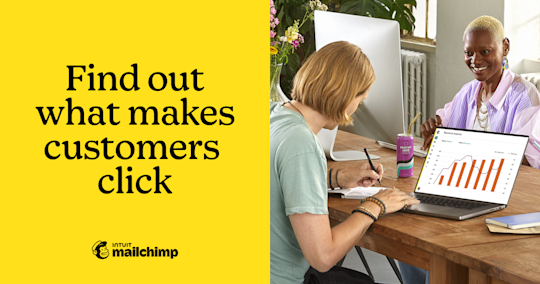
Reports
Marketing analytics and reporting tools that drive real results
Monitor growth, engagement, and revenue reports to learn more about your audience, identify trends, and improve future campaigns.
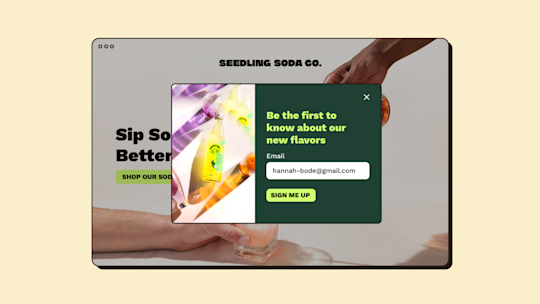
Signup forms
Grow your email & SMS list with popup forms
Turn website visitors into subscribers with customizable popup, embedded, and hosted signup forms.
*Disclaimers
- Availability of features and functionality varies by plan type. For details, view plans and pricing.