How to Migrate Your Email List Without Losing Data
Switching email platforms doesn't have to mean starting over. Here's how to protect your data, your sender reputation, and your results during the move.
The importance of a structured email migration checklist
Moving to a new email service provider is more than an export-import task. It's a strategic transition that requires a clear roadmap to protect years of audience building and data collection. Is email marketing dead? Far from it, but a botched migration can set your program back months. Here's why a structured approach matters:
-
Why data integrity is your top priority:
A messy move can wipe out tags, segments, and historical engagement data you've spent years building. Losing that information means losing the personalization and targeting that drive your email marketing strategy.
-
The impact on sender reputation:
When you migrate emails to a new platform, ISPs don't know you yet. A sudden spike in volume from an unrecognized sender can trigger spam filters, which is why a warm-up strategy is essential.
-
Setting a realistic timeline for your move:
Rushing an email migration leads to technical debt, broken automations, and missed sends. Give yourself enough time to do it right.

Mailchimp is the #1 email marketing and automation platform.*
Pre-migration: preparing your data for the move
Before you leave your old platform, conduct a thorough audit. This is the cleaning phase of the email migration checklist, and it determines the quality of everything that follows. Here's how to prepare:
-

Conducting a final list hygiene audit:
Remove bounced, unsubscribed, and inactive addresses before the transfer. Starting fresh with a clean list protects your deliverability from day one.
-

Mapping your data architecture:
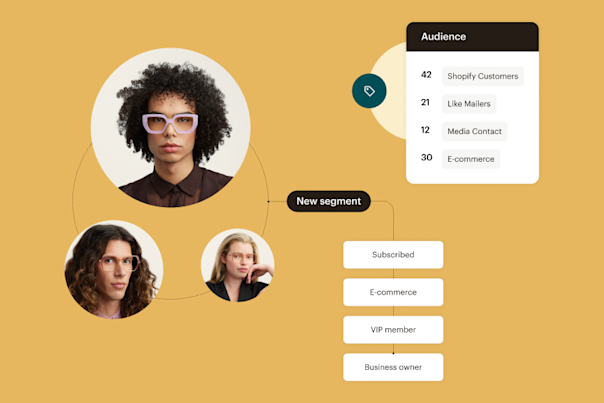
Identify which tags, groups, and custom fields need to be recreated in the new system. If your old platform tracked specific subscriber behaviors, make sure those fields carry over so your personalization stays intact.
-

Backing up historical campaign reports:
Past performance data usually doesn't transfer between platforms. Export your email marketing campaign reports before you disconnect so you have benchmarks to measure against.
Execution: the technical steps of the email migration checklist
This is where the actual heavy lifting happens. The technical configuration in this phase determines whether your emails land in the inbox or the spam folder. Follow these steps when you migrate emails:
-
Exporting and importing with precision:
Export your list as a CSV, make sure headers match your new platform's field names, and confirm that subscriber opt-in status is preserved. One mismatched column can corrupt an entire import.
-
Configuring domain authentication:
Set up SPF, DKIM, and DMARC records immediately. These verify your identity to receiving servers and are non-negotiable for email optimization and deliverability.
-
Rebuilding your automation workflows:
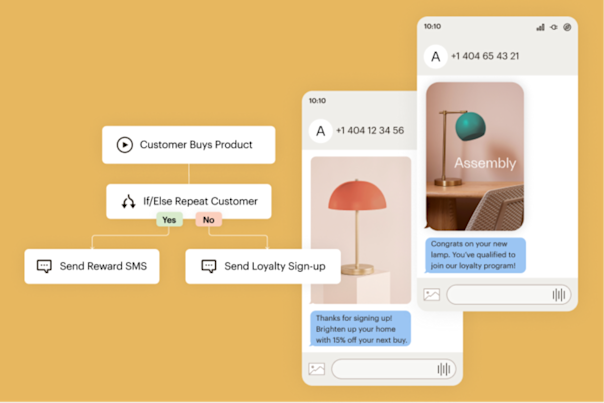
Content can be copied, but the logic behind your customer journeys needs to be rebuilt and tested in the new environment. Don't assume automations will work the same way across platforms.
Post-migration: warming up your new account
You've moved the data. Now you need to prove to ISPs that you're a legitimate sender. This is the most critical phase of the migration checklist for long-term deliverability. Here's how to handle it:
-
Implementing an IP and domain warm-up:
Send to your most engaged segments first. This builds a positive sending history and signals to ISPs that your messages are wanted.
-
Monitoring real-time deliverability metrics:
Watch bounce rates and complaint rates closely during your first few sends. Any spikes need immediate attention before they damage your reputation.
-
Updating your signup sources:
Swap out API connections and integration links on your website, social bios, and landing pages so new subscribers flow into the correct platform. If you're also going through a website migration at the same time, make sure all forms, pop-ups, and embedded signups point to your new platform before going live.
Once your warm-up is complete, you're in a strong position to create an email marketing strategy on your new platform that builds on the foundation you've carried over.
See how Mailchimp compares

Try our Standard plan for free!
Find out why customers see up to 24x ROI* using the Standard plan with a risk-free 14-day trial†. Cancel or downgrade to our Essentials or basic Free plans at any time.
Find out why customers see up to 24x ROI* using the Standard plan with a risk-free 14-day trial†. Cancel or downgrade to our Essentials or basic Free plans at any time.
Find out why customers see up to 27x ROI* using the Standard plan with a 14-day trial†. Cancel or downgrade to our Essentials or basic Free plans at any time.
Find out why customers see up to 27x ROI* using the Standard plan with a 14-day trial†. Cancel or downgrade to our Essentials or basic Free plans at any time.
Get 15% off our Standard plan
Businesses with 10,000+ contacts can save 15% on their first 12 months.† Keep your discount if you change to Premium or Essentials. Cancel or downgrade to our basic Free plan at any time.
Businesses with 10,000+ contacts can save 15% on their first 12 months.† Keep your discount if you change to Premium or Essentials. Cancel or downgrade to our basic Free plan at any time.
Businesses with 10,000+ contacts can save 15% on their first 12 months.† Keep your discount if you change to Premium or Essentials. Cancel or downgrade to our basic Free plan at any time.
Businesses with 10,000+ contacts can save 15% on their first 12 months.† Keep your discount if you change to Premium or Essentials. Cancel or downgrade to our basic Free plan at any time.
-
Generative AI features
-
Actionable insights into audience growth and conversion funnels
-
Enhanced automations
-
Custom-coded email templates
-
Customizable Popup forms
-
Personalized onboarding
Standard
Send up to 6,000 emails each month.Send up to 100 emails risk-free—no credit card required. Save a payment method to unlock 5,900 sends for the rest of your free trial.
Free for 14 days
Then, starts at 0 per month†
per month for 12 months
Then, starts at per month†
†See Free Trial Terms. Overages apply if contact or email send limit is exceeded. Learn More
†See Free Trial Terms. Overages apply if contact or email send limit is exceeded. Learn More
†See Free Trial Terms. Overages apply if contact or email send limit is exceeded. Learn More
Save 15% on the ultimate expert-assisted platform for growth
Engage your audience and increase sales with 15% off your first 12 months†. Plus, get expert support to help migrate your data and provide strategic guidance—exclusive to the Premium plan.
- Phone & Priority Support
- Custom-Coded and Pre-built Email Templates
- Multivariate and A/B Testing
- Enhanced marketing automation flows
- Dedicated Personalized Onboarding
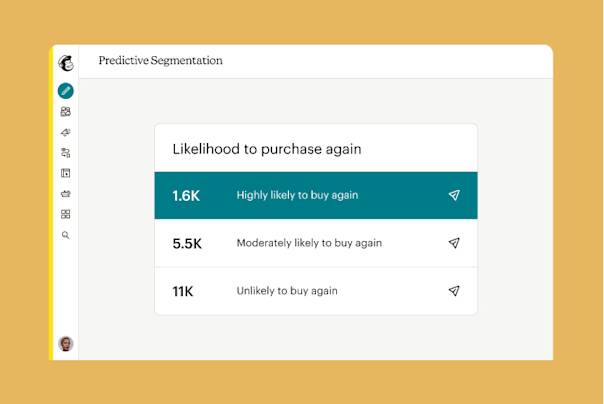
- Predictive Segmentation
Larger contact list? Call +1 (800) 330-4838 for custom pricing, annual plans, demos, and more. Contact sales.
Premium
Send up to 150,000 emails each month.
Save 15% on 10,000+ contacts
per month for 12 months
Then, starts at per month†
†See Offer Terms. Overages apply if contact or email send limit is exceeded. Learn More
Larger contact list? Call +1 (800) 330-4838 for custom pricing, annual plans, demos, and more. Contact sales.
FAQs
-
A typical email migration depends on the complexity of your account. Small lists can move in a day, but accounts with deep automations and segmentation often require 2 to 4 weeks for a safe transition.
-
You won't lose subscriber tags during the email migration as long as they're mapped correctly. Include tags as a column in your CSV export so your segmentation carries over to the new platform.
-
Generally, you don't need to notify email marketing subscribers about a platform switch. As long as your branding and content stay consistent, the technical change should be invisible to them.
-
The biggest mistake during email migration is skipping the domain authentication setup or failing to clean the list before importing. Both can damage deliverability and take weeks to recover from.
Millions of users trust us with their marketing. You can too.
*Disclaimers
- #1 email marketing and automation platform: Based on May 2025 publicly available data on competitors' number of customers.